 DongDong Park
Webcam motion games or a game console: which should you try first?
Updated
“Motion games” come in two broad kinds. One is a game console: kids hold a controller or strap on an accessory, and the sensors inside it tell the game how they’re moving. The other uses only a camera, which watches the whole body. Both are good; they just suit different situations.
The differences at a glance
| Game console (controller or accessory) | Computer webcam (in the browser) | |
|---|---|---|
| What you buy | The console, controllers or accessories, and the games | Nothing: the computer you already have is enough, and most laptops have a built-in webcam |
| How moves are tracked | Sensors in the controller, mostly following the hand that holds it | The camera sees the whole body: hands, feet and leaning all count |
| Graphics and gameplay | Polished graphics, long levels, controller rumble | Cartoon graphics, rounds of about a minute, simple rules |
| Ages | Most games expect kids to hold a controller and read on-screen text | From age 3, with a voice that tells kids what to do |
| Players | Depends on the game, often two to four | One or two at a time; on a big screen, a whole class can take turns |
| Space | Standing in front of the TV is enough | 7 to 10 feet (2 to 3 m) from the camera, in a bright room |
| Privacy | Check the documentation for that device and game | Movement is recognized on the computer; camera images aren’t uploaded |
When a console makes more sense
- Your kids are older and want polished, big games they can play for a long time.
- You want a dedicated fitness game with full workout programs and long-term progress.
- You were planning to buy a console anyway, and motion games are only part of the reason.
When to try the webcam first
- Your kids are young (preschool or early elementary), and holding a controller is awkward for them.
- You want to see whether they like it before spending any money.
- You want the whole body moving: running, jumping, squatting and kicking all count.
- You’re a teacher who wants the whole class to play: one computer and a projector are enough.
The two don’t rule each other out. Try the webcam for a week; if your kids love it and want something more complex, think about a console then.
Before the first round, run the device check. For how the camera sees moves, read How does a regular webcam see a kid’s moves? For where each kind of device came from, see the history of motion games; for how much room you need and how far to stand, see space and distance for motion games.
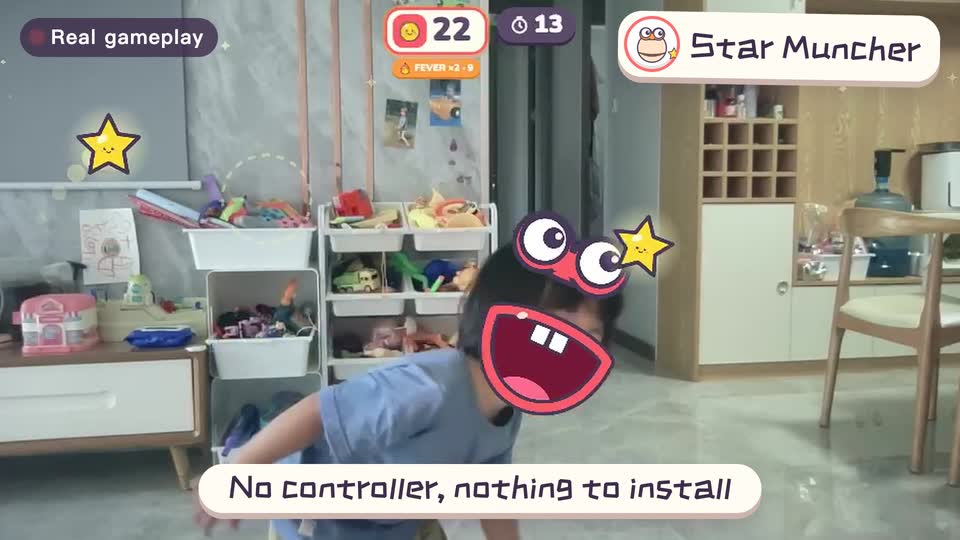
Real footage · 14 s
Kids stand in front of the computer and just move
100+ motion games for ages 3 to 18. Open the website and play: nothing to install, and the camera picture stays on this computer.
Keep reading
- How much should kids move each day? What the WHO says, and how to fit it in at home
- Screen time isn’t always sitting time: using screens to get kids moving
- When kids don’t like exercise: 6 ways to turn “I have to” into “I want to”
- Exercise and height: what actually helps kids grow (ages 6–14)
- Kids bouncing off the walls? A quiet 20-minute plan to burn off energy at home (ages 3–10)
- Winter exercise for kids: staying active when it’s too cold to go out