 DongDong Park
At home: get the whole family moving
Updated
Raining, too hot, too cold, or already dark outside? Kids can still burn off energy in the living room. All it takes is a computer with a camera and a little clear floor.
Set up the living room
- Put the laptop on a table, or connect it to the TV, with the camera at about your kid’s chest height.
- Clear about 6 by 6 feet (2 m × 2 m) in front of the camera and move the coffee table. Sneakers, or bare feet on a mat, grip better than socks on a hard floor.
- Keep the room bright, and don’t put a window behind the player.
- The player stands 7 to 10 feet (2 to 3 m) back, in view from head to toe. The one-minute device check tells you if anything needs fixing.
Getting started
You can play two rounds without signing in. To keep going, a grown-up creates a free account with an email address or Google. Kids never sign up: each one plays under a nickname with an animal avatar. The Free plan includes a daily number of rounds, and membership removes the limit (see pricing).
Play together
Choose “Two players” and stand side by side. Go head to head in Tug of War or 100-Meter Dash, take turns in Bowling, or team up in Jump Rope Champ, where you share one long rope. Kids try noticeably harder when a grown-up joins in.
Three 10-minute plans
- Ages 3 to 6. Bubble Pop, Balloon Keep-Up, Feed the Llama and Sea Lion Rings, with Go Fishing as the calm last game.
- Ages 6 to 12. Fruit Slash, Forest Run, Jump Rope Champ and Hoop Shots, then Tug of War against a parent.
- Teens. Boxing Practice, Laser Hallway, Fitness Circuit and Dance Along.
Most rounds last about a minute, so playing each game once or twice, with a breather in between, fills ten minutes. Not sure how a game works? Watch a demo first: a cartoon kid plays a round for you.
Reasons to come back tomorrow
- Levels and streaks. Every round earns XP, and a flame grows with each day of play.
- Daily tasks. Three small ones a day, such as earning three stars or trying a new game.
- Stickers, badges and dress-up. Kids collect stickers and unlock hats and cat ears to wear on screen while they play.
- Gift box. Playing today packs a gift box to open tomorrow.
- Friend challenges. After a one-player round, a signed-in grown-up can send a challenge link to grandparents or friends, who play the same game at the same difficulty to see who scores higher.
What about screen time?
Motion games are screen time on your feet, which is not the same as sitting and scrolling, but it is still a screen. We suggest 15 to 30 minutes at a time, with breaks for water. Think of it as extra movement on days when it’s hard to get out, not a replacement for outdoor play and real sports.
Stay close while little kids play. What happens to the camera images, and who can see scores, is covered in Safety and privacy.
Play now →Run the device check
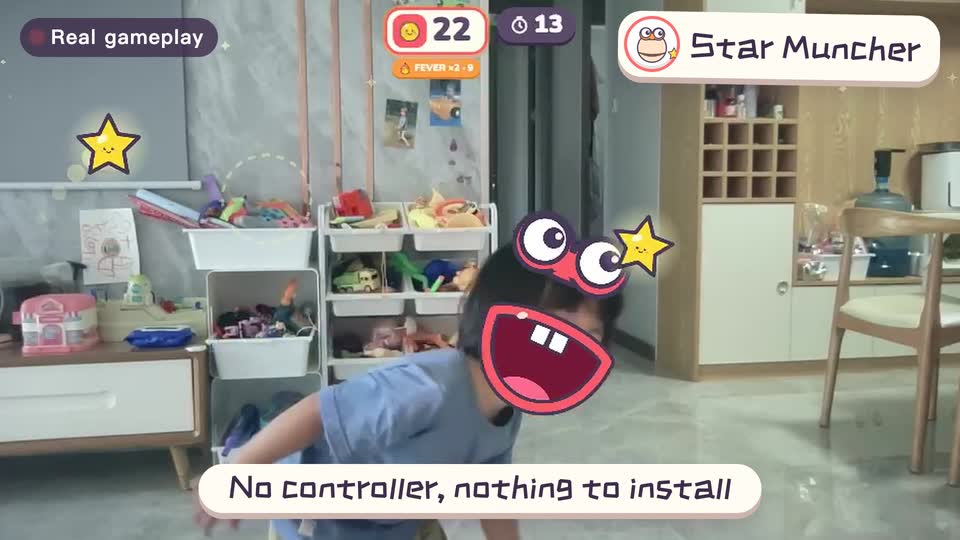
Real footage · 14 s
Kids stand in front of the computer and just move
100+ motion games for ages 3 to 18. Open the website and play: nothing to install, and the camera picture stays on this computer.