 DongDong Park
Safety and privacy: where the camera images go
Updated
The short answer: they stay on your computer. The camera picture is only used to see how the player is moving, and nothing is uploaded automatically. Here is what is kept, where, and who can see it.
Camera images
Movement is recognized on the computer you are playing on. Nothing is uploaded automatically: what the camera sees during play never reaches our servers. For the results screen, each round keeps one “best moment” photo and one replay video in the computer’s memory. They are gone when you play another round or leave, unless a grown-up chooses to save them to that computer.
The only picture that ever leaves your computer is one a signed-in adult chooses to upload as the account’s avatar.
Without an account: it all stays in this browser
You can try two rounds without signing in. Nicknames, scores, levels and stickers are kept in this browser, on this computer. We can’t see them, and no real names are needed.
Accounts are for grown-ups
To keep playing after the trial, a parent or teacher creates a free account with an email address (a code sent by email, or email and password) or Google. Kids never sign up and don’t need an email address.
With an account, each round’s score is saved to the account, along with the nickname of the kid who played, and counts on the leaderboard under the account’s own nickname. The roster and each kid’s progress are saved too, so you can carry on from another computer; that part can be turned off on the account page.
What other people can see
- The leaderboard and challenge pages show the account’s nickname and avatar. They never show an email address, and they never show a kid’s nickname unless the adult ticks that option when sending a challenge.
- The account’s profile shows activity posts: which games were played and how many stars were earned, never photos, videos or kids’ nicknames. “Who can see my posts” on the account page sets who can see them.
- The avatar can be a cartoon or a photo you upload. It is public, so use a grown-up’s photo, a drawing or a pet, not a photo of a child. An avatar that isn’t appropriate can be reported, and we review it.
No ads
There are no ads, and nothing on screen is trying to sell your kids anything. Membership is bought by the adult on the pricing page.
Moving safely
- Clear about 6 by 6 feet (2 m × 2 m) of floor. Move furniture and anything breakable, and check that the floor isn’t slippery.
- A grown-up stays close while little kids play. Anyone who feels unwell stops and rests.
- Warm up before the high-energy games, and take breaks for water.
- The games are everyday active play, not medical advice or professional training.
More answers are in the FAQ, and who we are is on the About page.
Play now →Run the device check
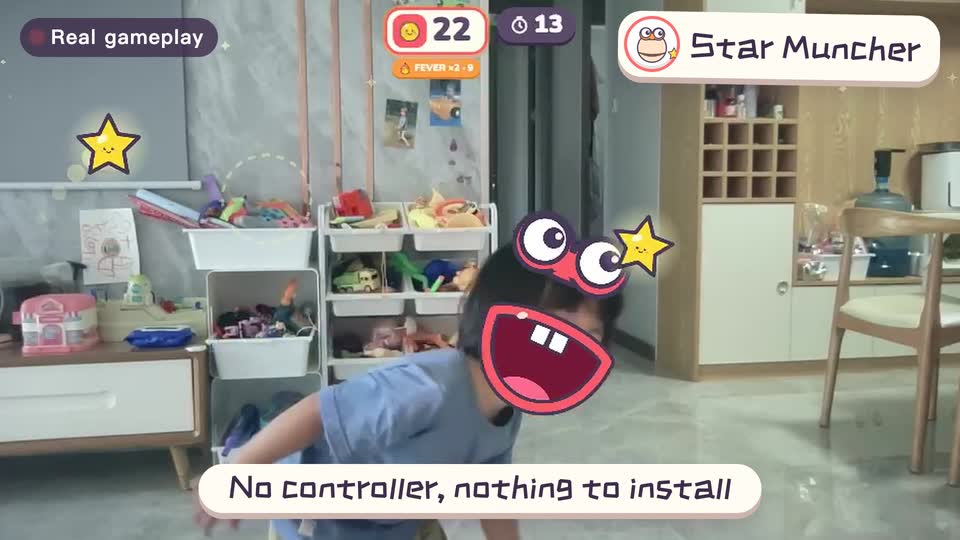
Real footage · 14 s
Kids stand in front of the computer and just move
100+ motion games for ages 3 to 18. Open the website and play: nothing to install, and the camera picture stays on this computer.