 DongDong Park
In the classroom: indoor recess, PE and brain breaks
Updated
One computer with a camera, plus a projector or classroom display, is enough to get a whole class moving, with nothing to install. You can try two rounds without signing in; after that, a teacher creates a free account with an email address or Google.
Set up in five minutes
- Connect the big screen. Run an HDMI cable from the computer to the projector, interactive whiteboard or TV, open the site in Chrome or Edge, and press F for full screen.
- Place the camera. A laptop’s webcam works; a USB webcam is easier to aim. Put it at about the kids’ chest height, 7 to 10 feet (2 to 3 m) from where players stand, and a little farther for games that watch the feet, such as Soccer Kick and Forest Run.
- Clear the floor. About 6 by 6 feet (2 m × 2 m) in front of the camera. Mark the standing spot with tape, two marks for two-player games.
- Test it before class. The one-minute device check covers the camera, light, standing spot and computer speed.
How to run turns
One at a time, down the roster
On the games page, give each kid a nickname (no real names needed). When a round ends, choose “Next kid” or press N to move down the roster; every score is saved under the right nickname. Most rounds last 45 to 60 seconds, so the line moves fast.
Two at a time
Choose “Two players” and two kids stand side by side, red team and blue team, each with their own score. Tug of War and 100-Meter Dash are head to head; in Jump Rope Champ the pair shares one long rope.
Hands off the computer
“Nonstop”, the first card on the games page, plays one game after another, about 45 seconds each, and switches by itself, so kids just swap in.
Sample 10-minute plans
- Indoor recess, elementary. Two players at a time, one round per pair: Fruit Slash, Hopscotch and Forest Run, then Tug of War to finish. That is about eight rounds, so around 16 kids get a turn.
- Preschool and kindergarten. Start gently with Bubble Pop, then Balloon Keep-Up, Mole Bop and Sea Lion Rings, and wind down with Go Fishing.
- Rainy-day PE. Warm up with Star Stomp, then run Jump Rope Counter, Squat Counter and High Knees Counter as one-minute stations (or Fitness Circuit for middle school and up). Finish with Air Drums.
- Two-minute brain break. One kid plays Jumping Jack Counter at the camera while the rest of the class joins in at their desks.
- Daily Challenge. One set game a day: who in the class can earn three stars?
Every game in the full list has a demo mode, so the class can watch a round first.
Rosters, progress and plans
Every kid on the roster has their own level, daily streak, stickers and badges. While you are signed in, the class’s stars also count on the online leaderboard, under the account’s nickname only. It has a big-screen mode for the classroom display.
The Free plan has a daily number of rounds and a short roster: enough to try it with your class. For unlimited rounds and full class rosters, see the Class plan on the pricing page.
Safety
- One or two kids in the play area at a time. Everyone else waits to the side, out of the camera’s view.
- Warm up before the high-energy games, and anyone who feels unwell stops right away.
- Camera images are recognized on this computer and never uploaded automatically. More in Safety and privacy.
Play now →Run the device check
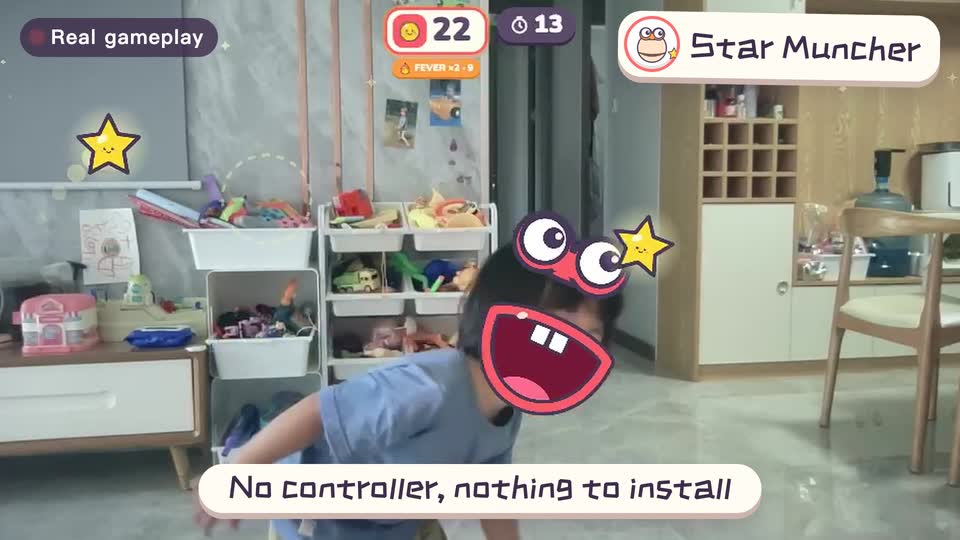
Real footage · 14 s
Kids stand in front of the computer and just move
100+ motion games for ages 3 to 18. Open the website and play: nothing to install, and the camera picture stays on this computer.